Switch to Pronto
Your clients are already in another program? They go into the app in one go.
Export the contacts from the program you use today, choose the file in the app and see your clients before you add them. You don’t type a single one by hand, even if there are 200.
First version in 48 hours, free to try.
 Hugo Marinho, from Portugal. I reply the same working day.
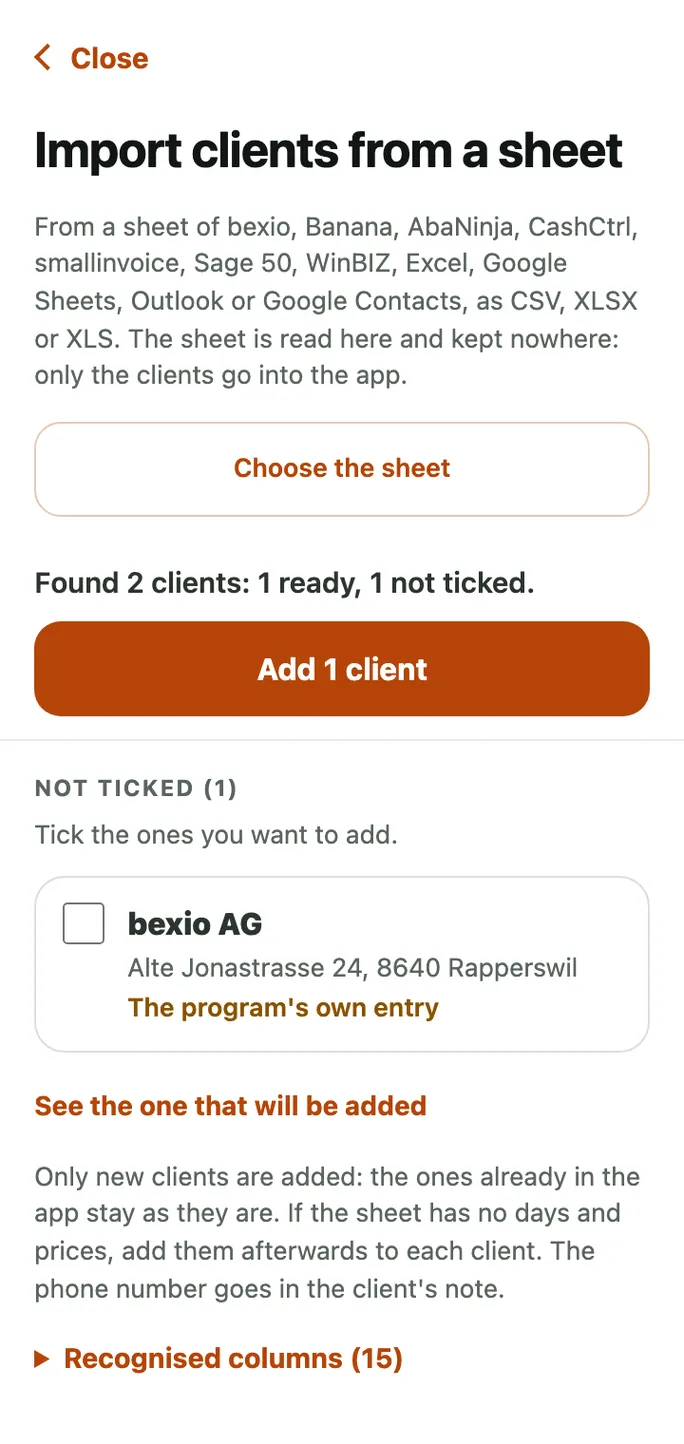
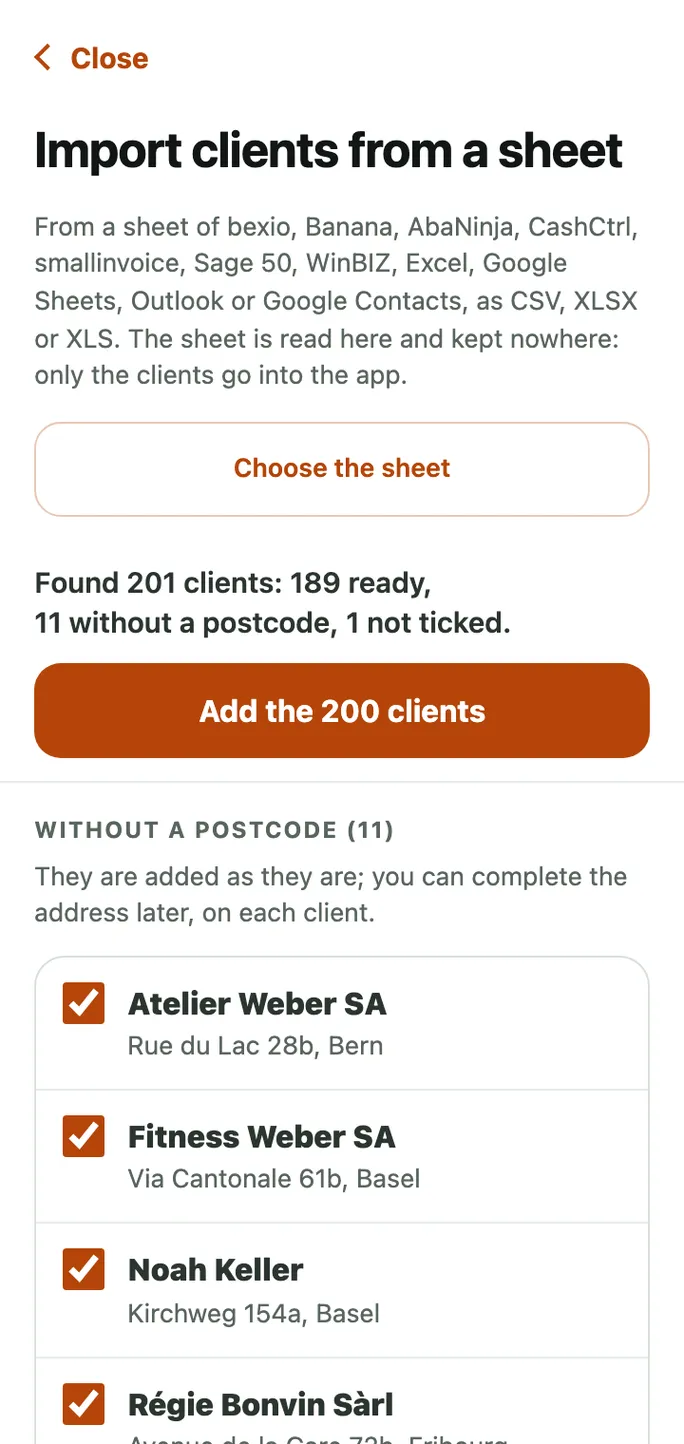
What the client import does
In the app’s base, at no extra cost.
From the program you already use
Tested with files exported from bexio, Banana, CashCtrl, smallinvoice and AbaNinja. The app also reads sheets from Sage 50, WinBIZ and Excel and your Outlook and Google contacts, as CSV, XLSX or XLS.
See everything before you add
The app shows how many clients it found, which have no postcode and which are already in the app, and each client’s plan. You untick the ones you don’t want, and only then add them.
Columns in any language
It recognises columns in German, French, Italian, English and Portuguese, and only asks about the ones it doesn’t know.
The file stays with you
The file is read on your phone or computer and is not stored anywhere. Only the clients go into the app.
And your bookkeeping?
It stays in the program you already have. The app handles the schedule, the hours and the QR-bill invoices, and your accountant gets everything in an Excel sheet, in one click. The invoices you have already issued stay in the old program, and the app carries on your numbering.
How it looks in the app
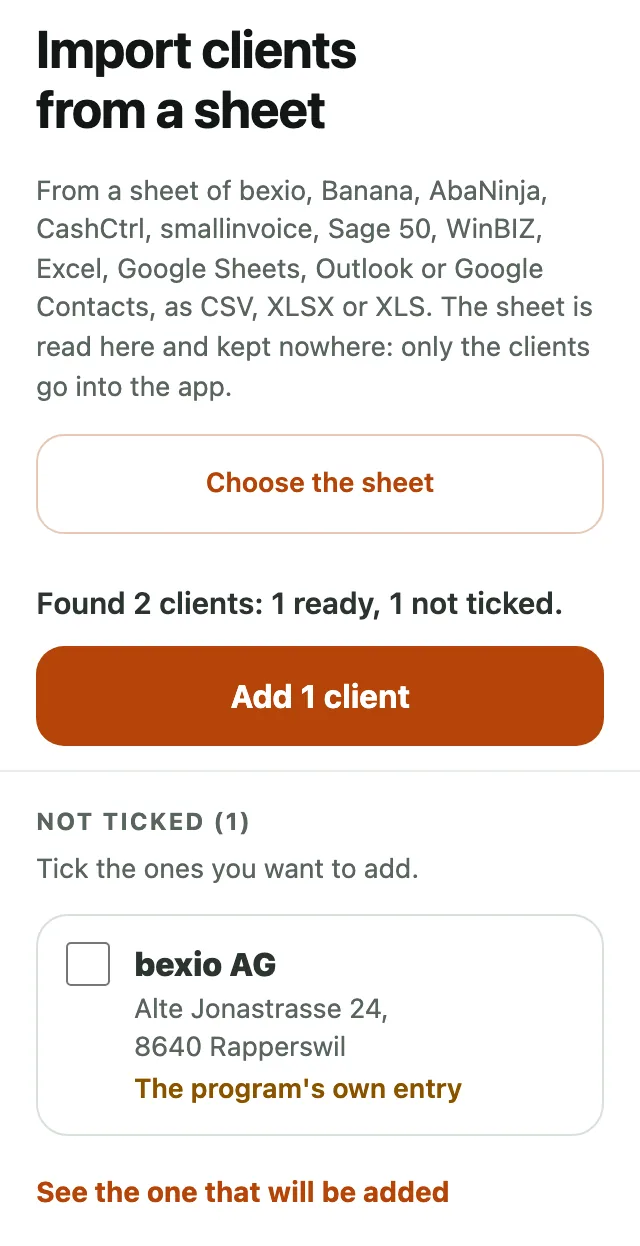
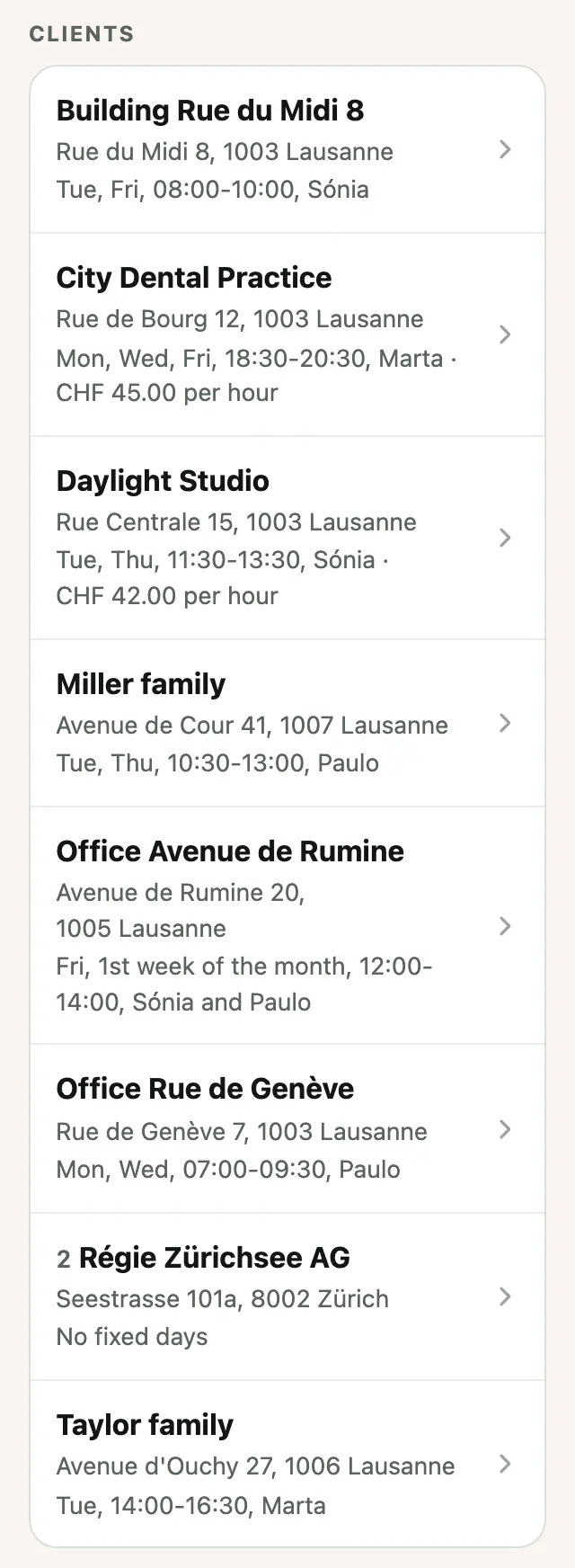
In the pictures, the company, the team and the clients are made up. It is the real app. Try the app, no sign-up · The full guide for owners
How it works
First you try it, then you decide
- We write to each other
On WhatsApp or by email, whenever suits you. I ask you 5 questions about how you work today.
- In 48 hours you have your app
With your company’s name, your team and your clients. 14 days to use it day to day, free and with no commitment.
- If you like it, you carry on
With the same app, losing nothing. I adjust it to the way you work and help the team get started.
Price
14 days free, then a fixed price
No minimum term: you cancel with one month’s notice and take your data with you as Excel.
- Up to 10 peopleCHF 2’500
- 11 to 30 peopleCHF 4’000
- Up to 10 peopleCHF 199 a month
- 11 to 30 peopleCHF 349 a month
Questions
Does the client import cost extra?
No, it is in the app’s base.
Which programs work?
I tested it with files from bexio, Banana, CashCtrl, smallinvoice and AbaNinja. It also works with sheets from Sage 50, WinBIZ and Excel and with your Outlook and Google contacts. If your program exports to CSV, XLSX or XLS, the app reads the file and only asks about the columns it doesn’t know.
Do the cleaning days and prices come across too?
Yes, when the sheet has them: the days, how often, the times and the price per hour or per month, in German, French, Italian, English or Portuguese. Before adding, you see each client’s plan. Anything the app doesn’t understand goes into the client’s note, to complete later.
I have clients with several buildings. How do they come in?
Whoever pays comes in once, and each building comes in as one of their sites, with its own tick box. With bexio’s “Alle Adressen” export, the invoices go to the billing address, and the main address stays unticked, so you choose whether you clean it too.
What if I already have clients in the app?
A client with the same name and address stays as it is and is not added a second time.
I want to switch in the middle of the year. What about the invoices I have already issued?
They stay in the old program, which carries on serving your bookkeeping. In the app you start with the next invoice, carrying on your numbering. The app does not bring the old invoices across.
Show me how you work. I’ll show you your app.
Write to me on WhatsApp or by email. In 48 hours you have the first version, to try without paying anything.