For accountants
For accountants: your clients’ hours and invoices, ready in Excel.
When a cleaning or painting business uses Pronto, the team’s hours and the invoices are in the app. At the end of the month your client downloads the sheet for the accountant, and at the end of the quarter the sheet with the totals and the VAT. Nothing copied by hand.
First version in 48 hours, free to try.
 Hugo Marinho, from Portugal. I reply the same working day.
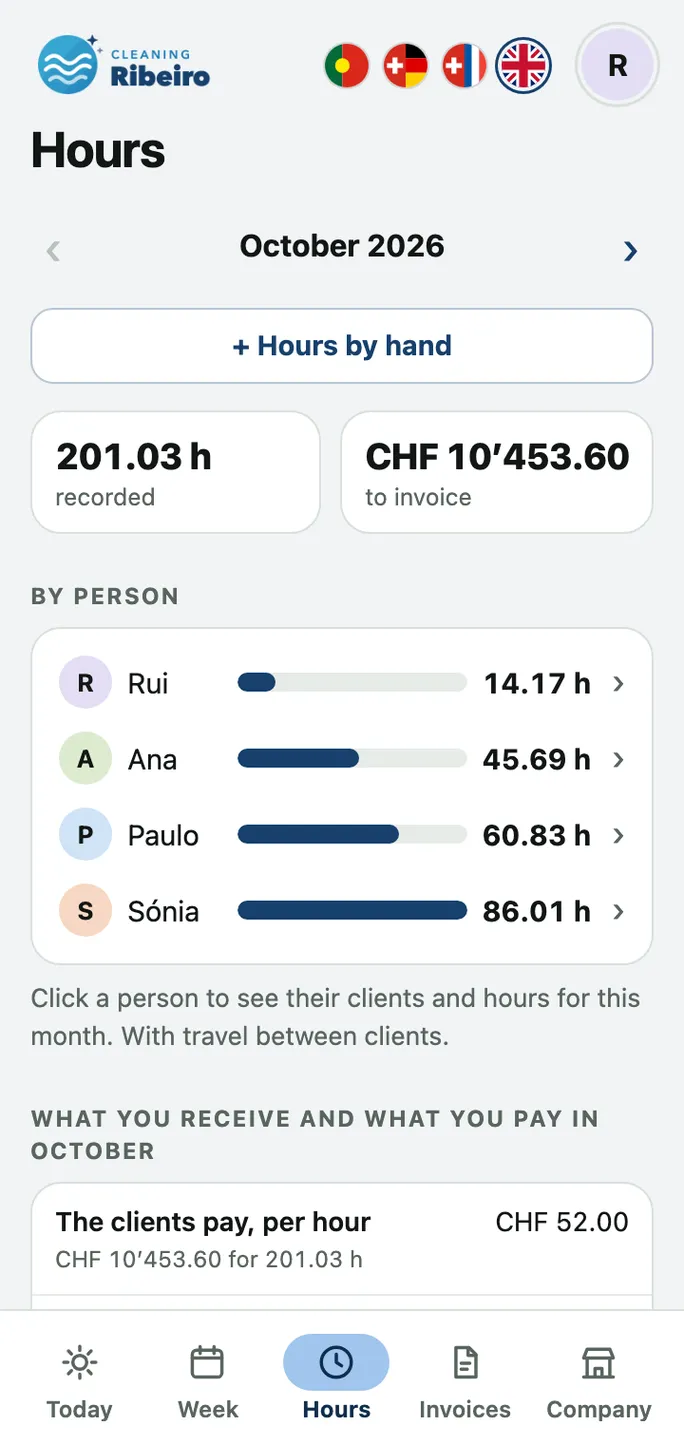
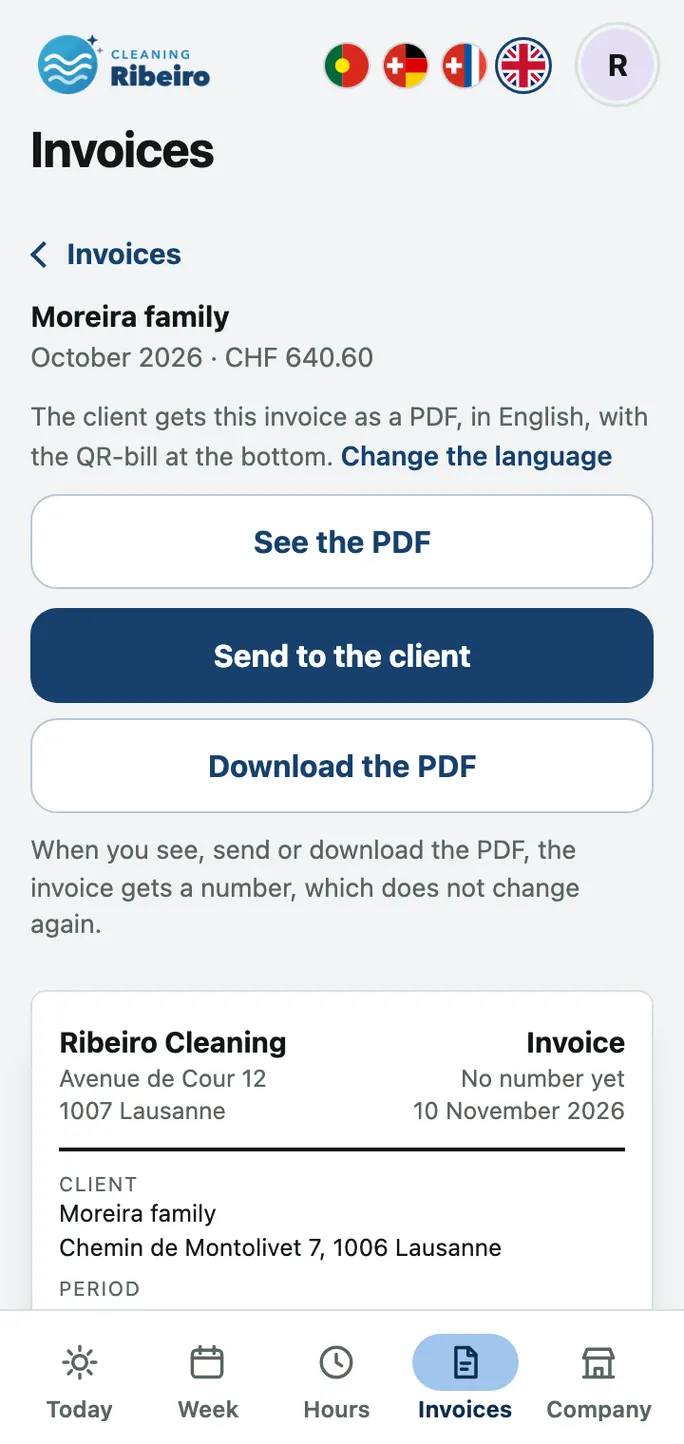
What you get from your client
Everything here the app already does today. Your client downloads it in one click.
The month’s sheet
A file that opens in Excel: the month’s invoices (excluding VAT, VAT and total, and the day each one was paid, in parts too) and every job, person by person, with each week’s and the month’s total.
The quarter’s or year’s sheet
For the VAT return and the year end: the invoices issued in the period, each with its total and VAT, the totals per rate, cancelled invoices marked and kept out of the totals, and the ones unpaid on a day you choose, with the part payments.
All of a year’s invoices as PDFs
Every invoice issued in a year, each as a PDF, in a single ZIP file. Cancelled ones are marked as cancelled.
Invoices with QR-bill and VAT
Each invoice comes as a PDF with the QR-bill and, if the business is VAT registered, the VAT number and the VAT. The numbering never repeats a number and can carry on from the old program. A wrong invoice is cancelled or corrected, never deleted.
Find out morePart payments and reminders
When a client pays only part, the invoice shows what is paid and what is still owed. The payment reminder is the same invoice, with the same number and the QR-bill for what is owed, with no fees or interest.
Clients from another program
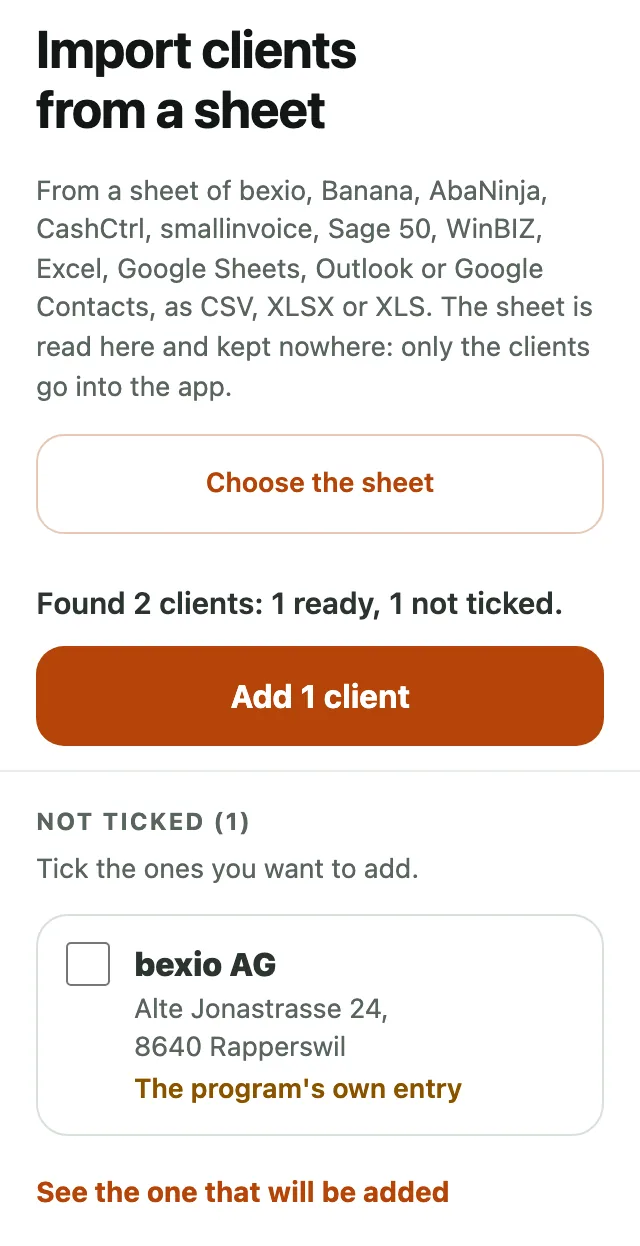
If the business already has its clients in bexio, Banana, CashCtrl, smallinvoice, AbaNinja or Excel, it exports the contacts and the app takes them all in at once. The bookkeeping stays where it is.
Find out moreHow to recommend the app to a client
Send them the link to the example, which opens without signing up: pronto-apps.com/en/example/. If they want the app, they write to me on WhatsApp, by email or through the form, and 48 hours later they have the first version with their own business’s data, 14 days free. The sheet for the accountant comes in the language they choose for you: English, German, French, Italian or Portuguese.
What it looks like in the app
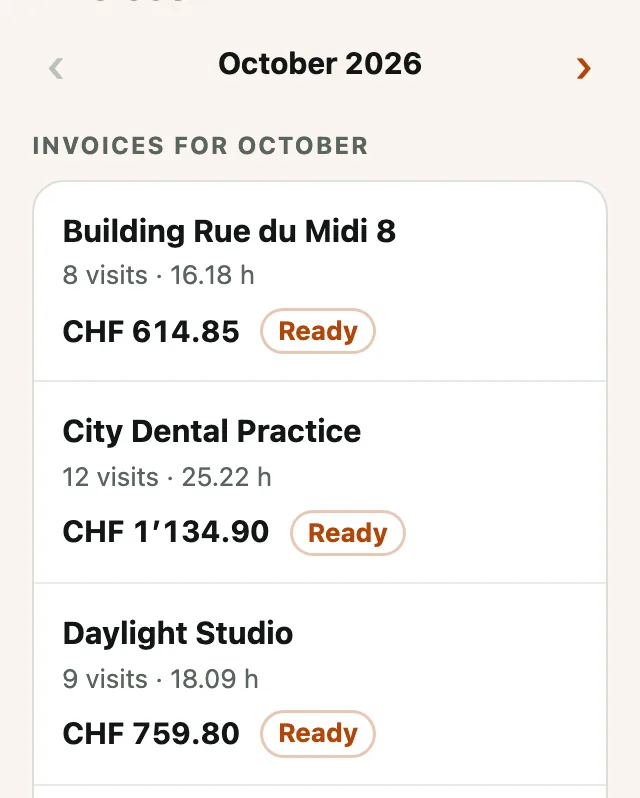
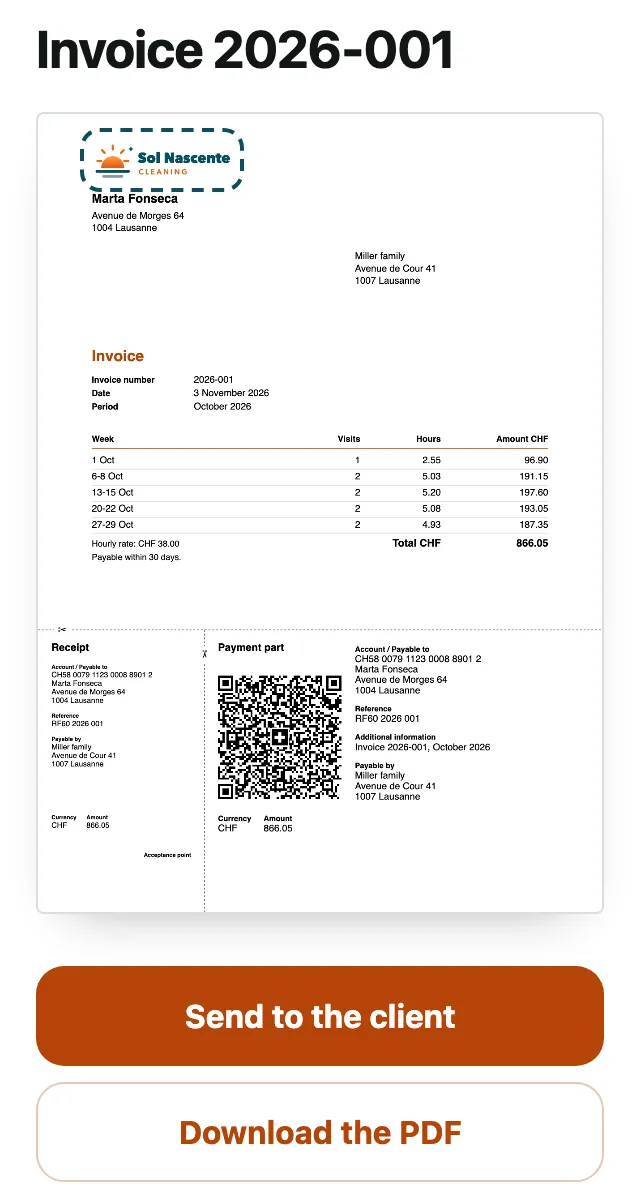
In the pictures, the company, the team and the clients are made up. It is the real app. Try the app, no sign-up · The full guide for owners
How it works
First you try it, then you decide
- We write to each other
On WhatsApp or by email, whenever suits you. I ask you 5 questions about how you work today.
- In 48 hours you have your app
With your company’s name, your team and your clients. 14 days to use it day to day, free and with no commitment.
- If you like it, you carry on
With the same app, losing nothing. I adjust it to the way you work and help the team get started.
Price
14 days free, then a fixed price
No minimum term: you cancel with one month’s notice and take your data with you as Excel.
- Up to 10 peopleCHF 2’500
- 11 to 30 peopleCHF 4’000
- Up to 10 peopleCHF 199 a month
- 11 to 30 peopleCHF 349 a month
Questions
What does the app cost my client?
The first 14 days are free. If they carry on, they pay the setup once (CHF 2500 up to 10 people, CHF 4000 for 11 to 30) and then CHF 199 or CHF 349 a month. No minimum term.
What language are the sheets in?
English, German, French, Italian or Portuguese, as your client sets it in the app. The invoices have their own language.
Can I sign in to my client’s app?
No, the app has no access of its own for the accountant. Your client downloads the sheets and the ZIP file in one click and sends them to you, by email or however they do it today.
Does the app replace the bookkeeping?
No. The app does the scheduling, the hours and the invoices. The bookkeeping stays in the program you already use, and the month’s and the quarter’s sheets bring you what you need for it.
Show me how you work. I’ll show you your app.
Write to me on WhatsApp or by email. In 48 hours you have the first version, to try without paying anything.